INFORMATION
About the app Transport Order Manager
Managing transport often involves coordinating multiple purchase orders, sales orders, and warehouse transfers. As transport volumes grow, planning shipments, tracking drivers, and processing related transactions becomes increasingly complex and time-consuming.
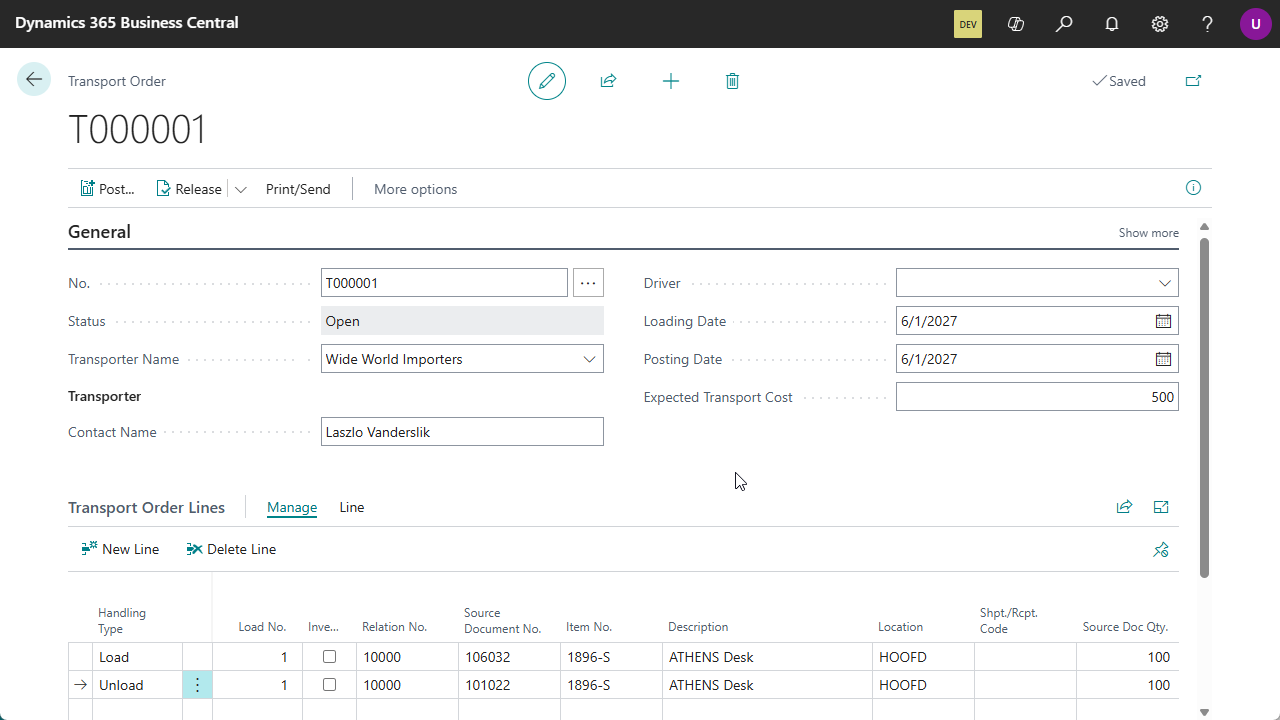
Transport Order Manager brings transport planning and execution together in a single process within Microsoft Dynamics 365 Business Central. Create one transport order for multiple source documents, assign transporters and drivers, and process all related warehouse movements from a central overview.
Whether you’re collecting goods from suppliers, delivering products to customers, or moving inventory between warehouses, Transport Order Manager helps your logistics team work more efficiently and with greater visibility.
One transport. One overview.
Instead of managing every purchase, sales, or transfer document individually, Transport Order Manager allows you to combine all relevant movements into a single transport order.
This gives planners, warehouse employees, and transport coordinators a clear view of what needs to be loaded, transported, and unloaded, while maintaining full integration with standard Business Central processes.
- Centralize transport planning
Manage multiple purchase orders, sales orders, and transfer orders from a single transport document. - Reduce administrative workload
Process shipments, receipts, and transfer postings in one workflow instead of handling every document separately. - Improve operational visibility
Track transporters, drivers, loading dates, unloading dates, and transport loads from one central place. - Minimize errors
Built-in validations ensure transported quantities remain balanced before posting can take place. - Support real-world transport scenarios
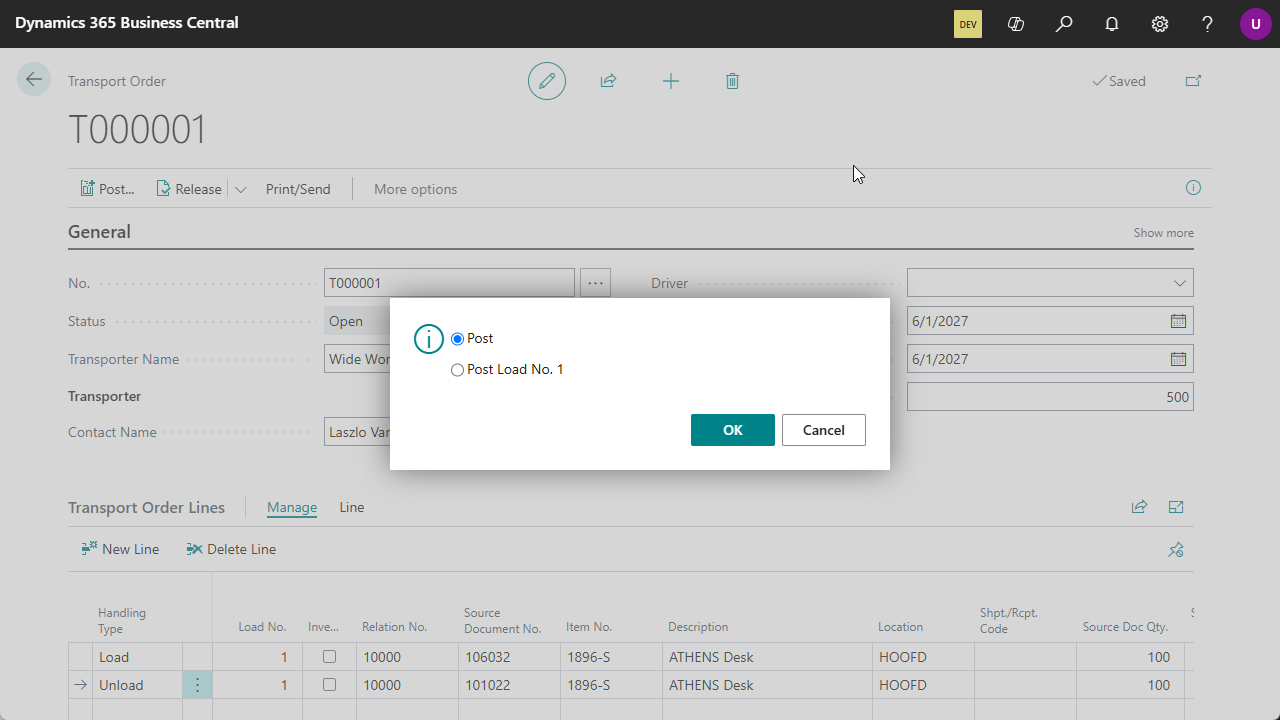
Manage multiple loads within a transport order and post completed loads independently when needed. - Maintain full traceability
Automatic archiving provides a complete history of every transport activity, including what was moved, when it was processed, and by whom.
Designed for logistics-intensive organizations
Transport Order Manager is especially valuable for organizations that:
· Consolidate multiple customer orders into a single delivery.
· Collect goods from multiple suppliers.
· Operate several warehouses or distribution centers.
· Work with external transport companies and drivers.
· Need better oversight of transport activities within Business Central.
Fully integrated with Microsoft Dynamics 365 Business Central
Transport Order Manager extends standard Business Central functionality without introducing separate planning tools or disconnected spreadsheets. All transport activities remain linked to the underlying purchase, sales, and transfer documents, ensuring data consistency throughout the entire logistics process.
By connecting transport planning directly to operational transactions, organizations gain better visibility, reduce manual work, and streamline the movement of goods across their supply chain.
Keep your files outside of the Business Central database while maintaining direct access from within Business Central.
Transport Order Manager
Move goods, not paperwork.
Plan, execute, and track transport operations from one central location in Microsoft Dynamics 365 Business Central.
Pricing
You can try out the Transport Order Manager extension completely for free by installing it directly from Microsoft Marketplace in one of your Business Central Sandbox environments.
No trial period, no obligations!
Just install the extension directly from Microsoft Marketplace and try it out right away.
Curious about the pricing for Production use? Please check out our Prices page for detailed information about the pricing for each of our apps.